How to Render Math Quickly Without a Web Engine
Many apps carry around an entire browser engine just to render a single equation. That path was closed to mori, so we had to find another way.
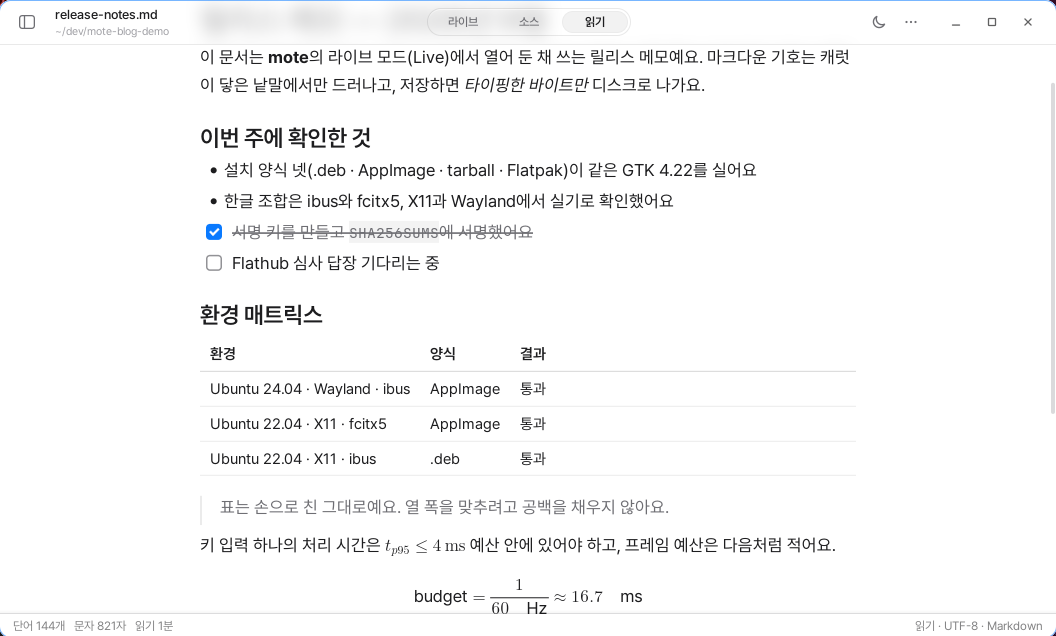
mori has one absolute rule. It does not depend on a web engine.
I learned this while building the prototype. In an app like this, the embedded browser engine accounts for most of the cost. So I decided to leave it out from the beginning.
The problem was math. Usually, equations are rendered by loading KaTeX or MathJax in a browser. That was not an option in mori.
The other approaches were not a good fit either. Using a custom font renderer makes the letterforms look different from those in other apps on the system. That is because mori had decided to render every character using the platform’s text engine.
In the end, I chose the hardest path.
mori Handles the Layout, the Platform Handles the Characters
The math syntax follows a familiar convention. Within a sentence, an expression is enclosed in a single pair of dollar signs, and when set apart, it is enclosed in two pairs.
There can be no spaces after the opening delimiter or before the closing delimiter. This prevents amounts such as $5 and $6 from being mistakenly recognized as math. Small distinctions like this matter in Markdown written by people.
Rendering math was divided into two parts.
mori’s core calculates the positions of characters and lines. The actual characters are drawn by each platform’s text engine.
The core contains a simplified version of TeX’s typesetting rules. These include four size levels, a table that determines spacing by classifying symbols into eight categories, the positions of scripts, fractions, and radicals, and delimiters that grow to fit their contents.
But the core does not determine the actual dimensions of characters. That is because the same character has different dimensions depending on the font and platform. When the core asks, “How large will this character be if it is drawn at this size?” the platform answers. The core completes the layout based on that value, and the platform draws the characters and lines at the specified positions.
Thanks to this, even as the number of platforms grows, there is only one layout to maintain.
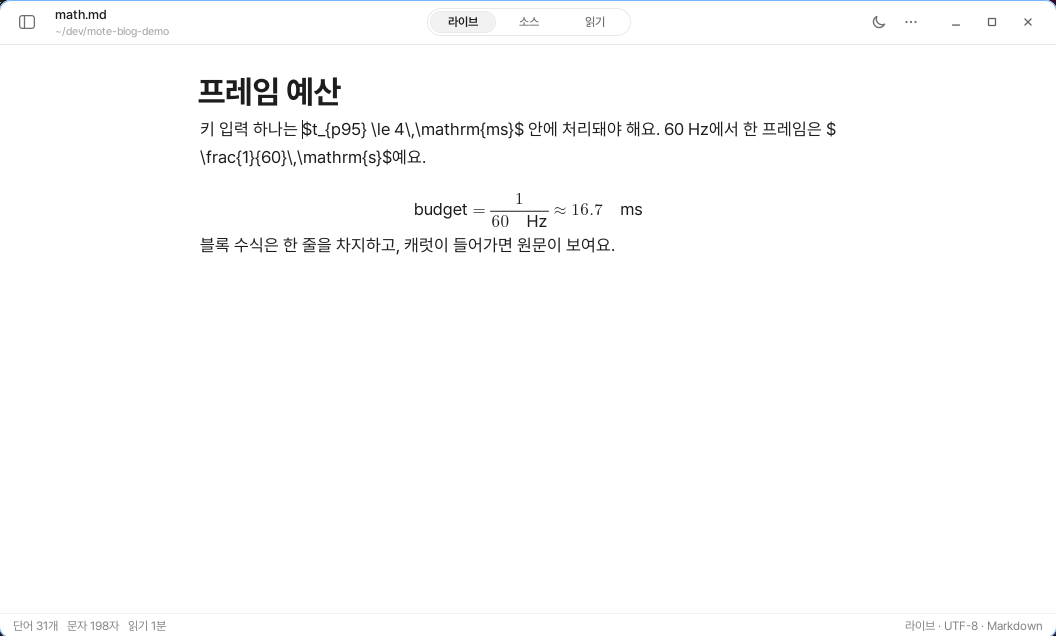
The original source remains intact in the editor as well. Even when an equation is displayed in live mode, the source bytes remain in the line. Only enough space for the rendered equation is reserved at that position.
This allows the caret to stand in the exact position and the character that was clicked to be identified precisely. It preserves the principle that the screen may be decorated, but the file is not changed. Reading mode and PDF use the same layout as well.
Italic characters are not artificially slanted either. Unicode mathematical characters are used to draw the actual mathematical glyphs included in the font.
Unknown Math Is Not Hidden
When math is silently rendered incorrectly, it is difficult to notice.
If an unsupported command is displayed as a blank, the user cannot tell whether it is a typo or a limitation of the app. So mori displays unknown commands in red, exactly as they are named.
The app does not stop even when delimiters do not match. Inputs like these were kept as tests so that the same problem would not recur.
The performance principles were preserved as well. Up to 512 computed results are stored for each combination of equation and text size. The same equation is not calculated repeatedly while typing, and no work runs when the user is doing nothing.
When exporting to HTML, mori uses MathML. Because the browser renders the math directly, no scripts are required. The equations still appear as intended even without an internet connection.
Some Things Still Do Not Work
mori does not support all of TeX.
User-defined commands, color specification, equation numbering, multiline scripts, symbols above characters, and text above arrows are not supported yet.
There are no accents that stretch to fit their width either. A wide hat looks like a narrow hat. Large summation and integral symbols are drawn at 1.45 times their normal size instead of using dedicated glyphs. Delimiters that should stretch only vertically grow both horizontally and vertically.
Inline fractions are displayed small, as they are in TeX. To make them appear larger, they must be specified with a separate command.
I will not pretend these features already exist. I add them one by one when requests come in.
I did not change the cost structure of the entire app for the sake of a single equation. Instead, I changed the way equations are rendered.
It was the harder path, but I believe it is a path that can last.