How We Made It Use No CPU When Simply Left Open
The editor stays open all day, but the time actually spent typing is only a fraction of that. For the rest of the time, mori schedules neither frames nor timers, and enforces that through two layers—code inspection and measurements on real hardware.

The editor is the app that stays open the longest on a laptop. But the time actually spent writing is not very long. Most of the time, it sits quietly while you do other things.
So mori established one principle.
If the document is not changing and there is no animation, do nothing.
No scheduled frames, no repeating timers, and no periodic checks. It is not an optimization, but a design principle that must be upheld before any feature.
If Nothing Is Happening, Zero Frames
CPU usage alone makes it difficult to tell whether an app is quiet. The value fluctuates with every measurement, and rounding can easily turn it into 0.
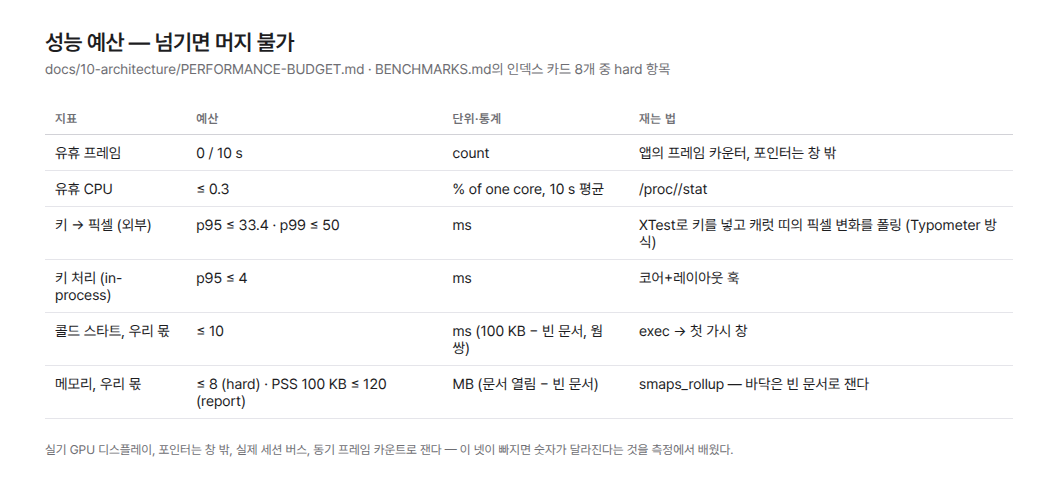
So mori looks at the frame count first. If the document does not change for 10 seconds after the window appears, the number of frames drawn must be exactly 0. The app counts them directly, and if it draws even one, the code is not merged.
Even 0 frames is not enough to relax. Threads may keep waking up out of sight. We also record how many times per second every thread in the process wakes up. We are still building a baseline, so this number alone does not block development yet.
The only exception is the blinking caret. It does not use a repeating timer; after blinking once, it schedules the next action again. It stops immediately when the window loses focus. The idle CPU budget, including the caret, is 0.3%.
We do not examine idle performance in isolation. Delaying rendering can easily reduce the frame count to 0, but it can also make typed characters appear late. That is why we check keystroke latency, startup speed, and memory all at once. If the code exceeds even one threshold, it is not merged.
Once in the Code, Once on a Real Device
Principles blur over time. So we check twice.
First, we inspect the code. We automatically look for repeating timers, ticks that never end, polling that repeatedly sleeps and wakes, and code that unnecessarily rereads an entire file. If any are found, CI stops there. If an exception is truly necessary, the reason the work terminates must be written directly above the code.
Then we measure it on a real device. We observe four conditions when we do.
We measure on a real display with a GPU. The pointer is kept outside the window. We use a real session bus, and frames are counted at the moment they are drawn.
These conditions came from failures. Once, simply having the pointer over the window produced 150 idle frames. In an isolated session, startup was delayed by several seconds while the toolkit waited for a response. When we used a frame counter that reported late, frames from the startup screen were sometimes mixed into the idle interval.
We do not judge memory by its absolute value, either. The memory occupied by the toolkit and graphics driver can vary by tens of MB depending on the environment.
Instead, we use an empty document as the baseline. We only look at how much more memory is used when a document is opened than with an empty document. In a recent measurement, an empty document used 116 MB, while a 100 KB document used 120 MB. The additional memory used by mori was 4 MB, within the 8 MB budget.
We did not measure it this way from the beginning. Once, we thought we had exceeded the memory budget, but it turned out that the baseline memory of the execution environment—not the app—had increased. From that day on, we began measuring “the amount added by our feature” instead of the absolute value.
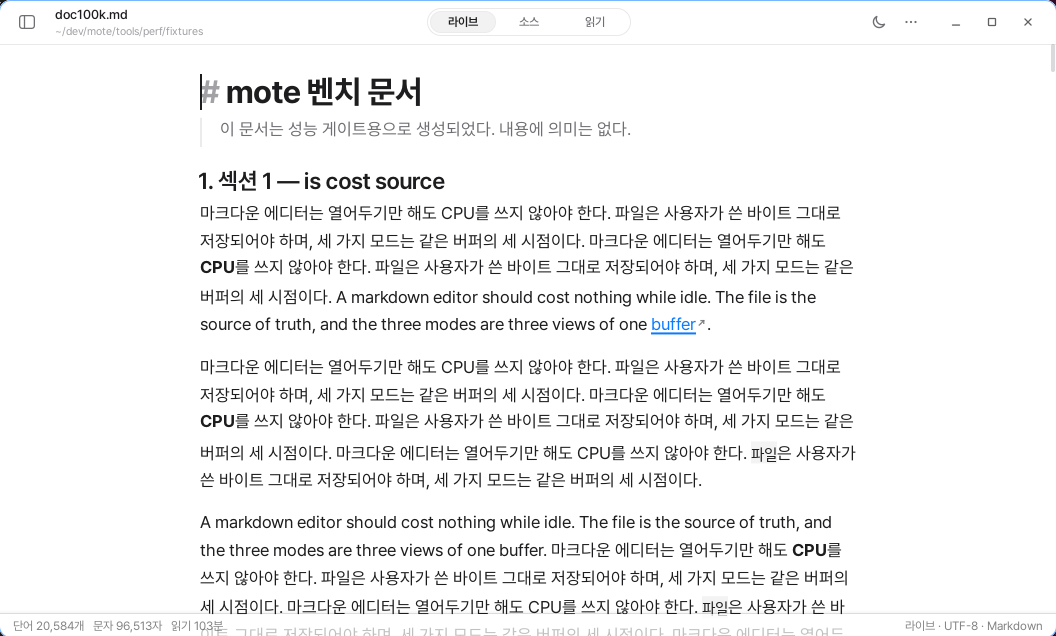
During development, we also display the number of live timers on the screen. If it is not 0, we know immediately before committing.
Autosave follows this principle as well. It sets a timer once only when the document changes, then removes it when saving finishes. It does not wake up periodically to ask, “Has anything changed?”
These Numbers Are Not About Beating Competitors
At first, we wanted to present idle performance as an advantage over Typora. But when we measured it ourselves, that was not the case.
On the same device under the same conditions, Typora’s idle CPU usage was 0.1%. It was effectively the same as mori. The apps with confirmed differences were Obsidian at 0.8% and MarkText at 0.6%.
We also wrote it incorrectly once. For a while, the document said, “Typora uses CPU when left open.” The 34.6% cited as evidence was not a measurement of Typora, but of apostrophe. After checking again, we corrected the sentence immediately.
Zero idle frames is not a claim directed at competitors. It is a discipline that mori imposes on itself. If there are no tasks running repeatedly, we can always explain what the app is doing right now.
There Are Also Things We Gave Up Because of This Principle
There are many times when we cannot use the convenient approach.
Instead of periodically checking whether a file has changed externally, we have to receive change notifications from the operating system. Instead of leaving formulas to a webview, we built the layout engine ourselves. Animations cannot be made to run continuously, either. Every movement has a beginning and an end, and when it ends, it must stop completely.
We will not say that the battery lasts several hours longer. That is a number we have not measured. What we have verified is the frame count, CPU usage, and even the number of times threads wake up.
Doing nothing when nothing is happening.
In mori, it is not a feature, but a principle that every feature must pass.